The Group aims to offer a complete portfolio for each business size (SMEs, SMB and large corporations). This means that the Group can cover requirements that go from simple electrical schematics to PLM (Product Lifecycle Management). For each industry, the offer has been segmented in 6 domains :
IGE+XAO software packages manage overall designs as well as detailed designs such as principle diagrams and cable plans.
Electrical Design software packages from IGE+XAO provide powerful functions dedicated to electrical engineering.
IGE+XAO offers a range of software packages for managing electrical projects.
In order to integrate seamlessly with customers information systems, IGE+XAO offer a full range of interfaces.
IGE+XAO sells a complete range of software from its subsidiary Prosyst
A comprehensive range for the manufacturing of electrical equipment
Quickly find the products that match your requirements. Do not hesitate to contact us for more information via the request link.
We hope you find our site useful. If you have any questions, please do not hesitate to contact us by phone, chat or email and we will answer you as soon as possible.
Or by phone:
+33 (0)5 62 74 36 36For 35 years the IGE + XAO Group has been designing, producing, selling and maintaining a range of Computer Aided Design (CAD), Product Lifecycle Management (PLM) and dedicated simulation software for electrical engineers. This software was developed to help companies design and maintain the electrical part of any type of installation. This type of CAD / PLM / Simulation is called "CAD / PLM / Electrical Simulation". Since mid-2014, with the acquisition of Prosyst, we also offer a complete suite of packages for the functional simulation of electrical installations. IGE + XAO represents 370 people worldwide in 31 locations in 20 countries and more than 96500 worldwide licenses.
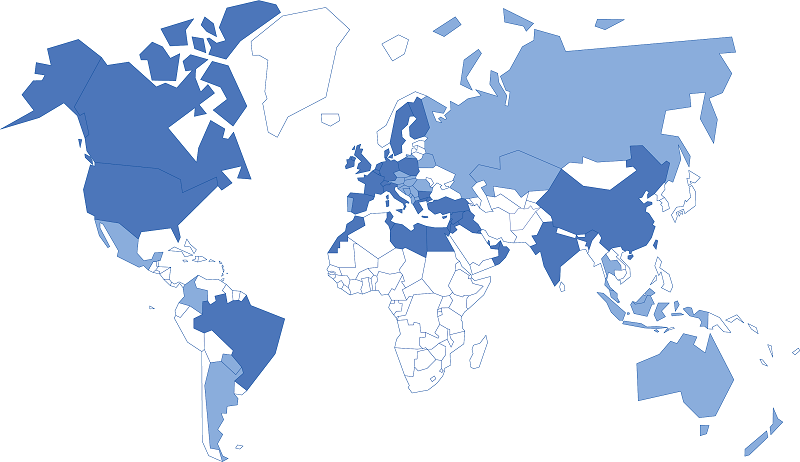
The IGE+XAO Group is also presents in the main European countries and in America, through affiliates and subsidiaries.
Local contact Become a distributor